OwnStamp
Proof of everything you own
A receipt, warranty and return tracker that happens to build an inventory of everything you own. Photograph the receipt; the return window, the warranty and the refund look after themselves.
Coming to the App StoreComing to Google Play
Three screens, and the one that matters is the third
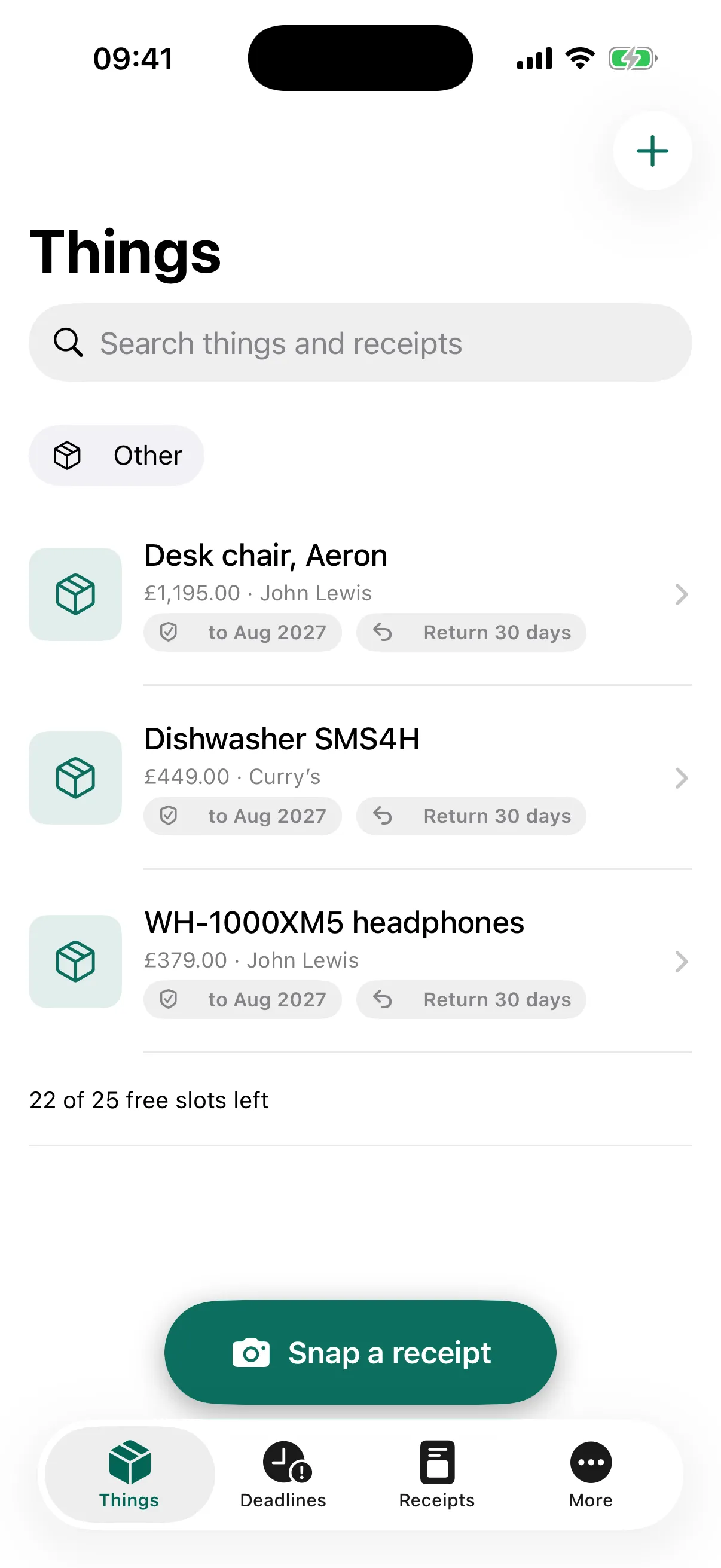
Everything you own, with both clocks on every line
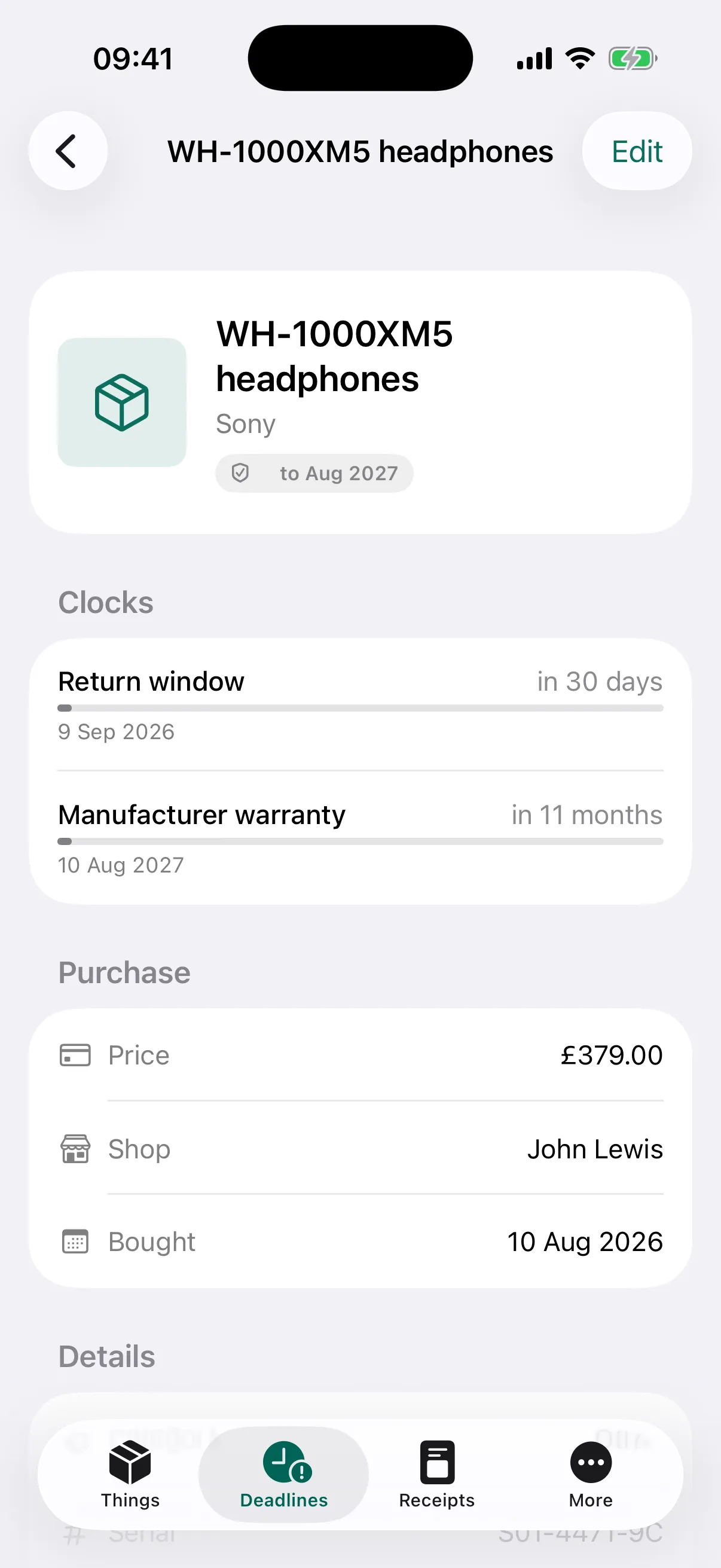
One thing: the return window, the warranty, the receipt
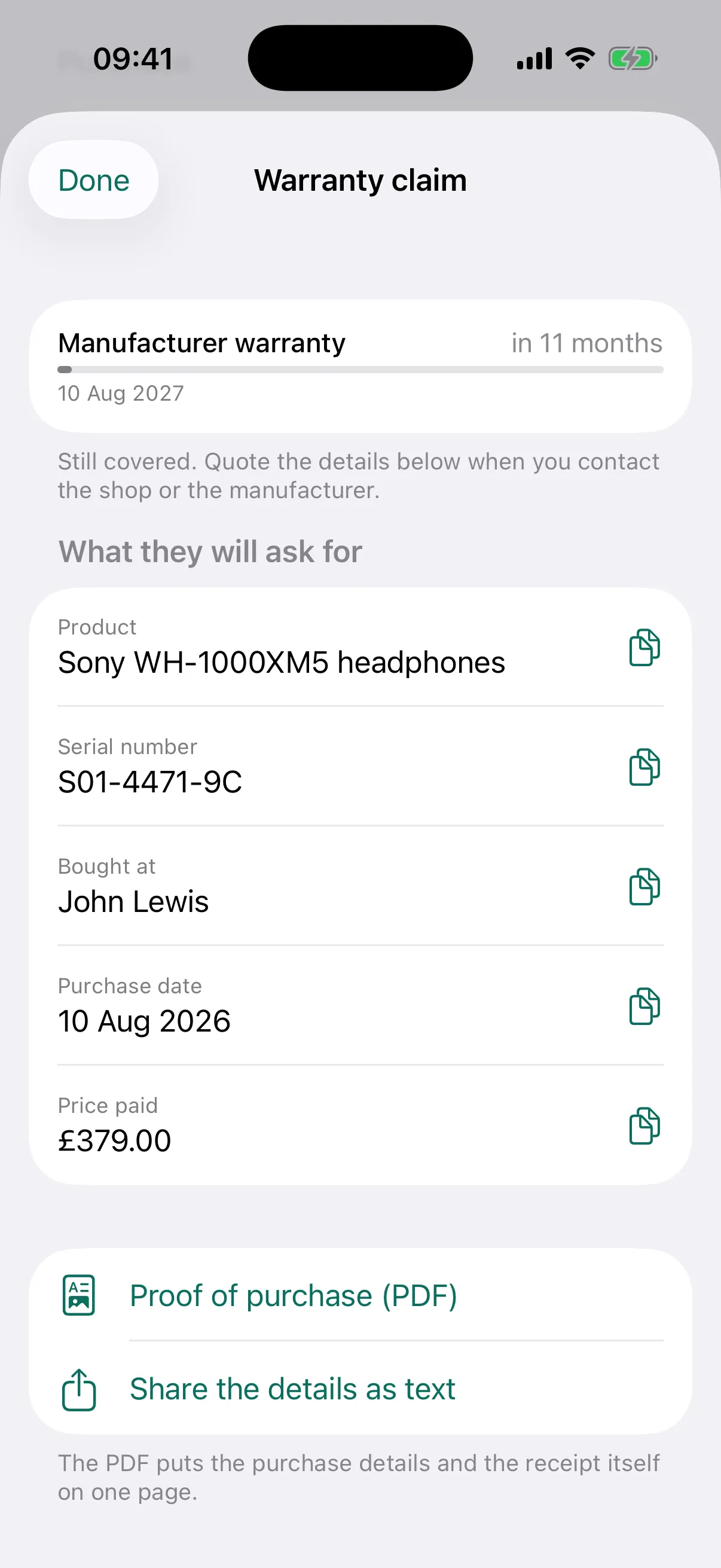
A claim screen that lists what they will ask you for
Screens from the current build, with sample purchases.
The receipt is the whole interaction
Home inventory apps die for one reason: cataloguing a house is a feat nobody performs. OwnStamp never asks you to. You photograph a receipt at the moment of purchase — when protecting the thing you just bought feels natural — and the inventory accumulates one receipt at a time.
One photo of the receipt
Text is read on the device, the fields are filled in for you, and the item card exists before you have put the bag down.
The return window, watched
A timer per purchase, with a reminder before it closes. The app learns your shops: if you gave IKEA 365 days last time, it offers 365 days again.
The warranty, remembered
A default by category that you can change, and a reminder before it expires — so the thing gets repaired under warranty rather than after it.
Refunds chased to the money
A returned item does not disappear. It sits in "waiting for refund" until you confirm the money actually arrived.
Proof of purchase in two taps
For a warranty claim: the serial number, the receipt and a single PDF you can send, on one screen.
An inventory you never sat down to build
Every receipt adds an item. When you need an inventory — for insurance, a move, or a dispute — it is already there, and it exports as a timestamped PDF.
Rarely needed, and critical when they are
The return
- The receipt is two taps away
- The window does not close unnoticed
- The refund is followed until the money lands
The warranty claim
- Serial number and proof of purchase on one screen
- A single PDF to send to the manufacturer
- A reminder before the cover runs out
The insurance form
- Ownership, value and condition, all three evidenced
- The whole database, a room or a category, exported as a PDF
- Timestamps that were recorded at purchase, not after the loss
Free to start, one payment to keep
Free
Up to 25 items
- Every timer and every reminder
- Receipt capture and search
- One room
One-time purchase
Pro
- Unlimited items and rooms
- PDF proof of purchase and the full inventory report
- Export and backup of your data
Pro is a single payment, not a subscription — we are not going to charge you monthly for a list of your own possessions. The price is set per region and shown in the app before you buy.
Only the text is read by AI, and only if you say yes
Receipts are read on the device, by the operating system's own text recognition. To fill in the fields, the app can send the extracted text — never the image, and never your name or email — to our server, where Anthropic's Claude interprets it. It asks before the first receipt, and the answer can be changed in the app at any time.
The app works from first launch without registration. Your things and their photographs are kept in your account on our servers, so they sync and survive a new phone. The Privacy Policy sets out what is stored, where, and how to delete all of it.
Built on the same bones as RentStamp
OwnStamp and RentStamp share a design language and the same PDF report engine. One documents a property you rent; the other documents the things you own. If you are a tenant, the two fit together — a renters insurance claim wants an inventory.